



Smart Thermostats Repair in Willis, TX



Smart thermostats are more than convenient gadgets; they control comfort, reduce energy waste, and connect your Willis, TX home to modern HVAC intelligence. Van Eddies Heating & Air Conditioning provides focused Smart Thermostats Repair in Willis, TX, combining HVAC expertise with smart-home troubleshooting to restore reliable temperature control, connectivity, and automated scheduling. Whether your Nest, Ecobee, Honeywell, or other smart thermostat is losing Wi-Fi, showing wiring warnings, or failing to communicate with your air conditioner during the hottest Texas afternoons, this page explains what goes wrong, how we diagnose it, and what repair and warranty options look like locally.
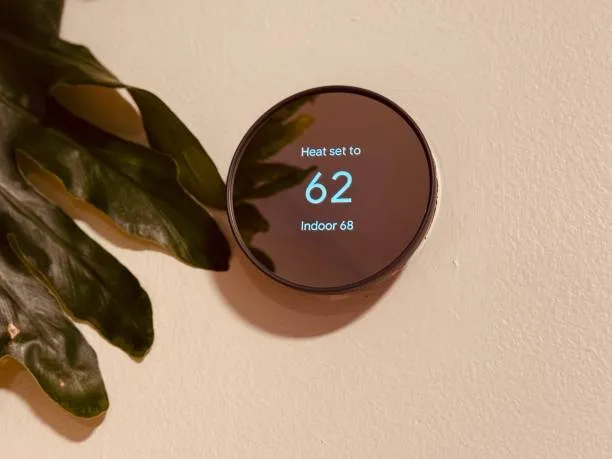
Why timely smart thermostat repair matters in Willis, TXWillis sits in a climate that demands dependable cooling. Long, hot, humid summers and occasional severe weather events place high daily use on HVAC systems and the connected controls that manage them. A misbehaving smart thermostat can create comfort gaps, spike energy bills, and mask underlying HVAC faults. Prompt repair of smart thermostat problems reduces unnecessary system runtime, prevents premature wear on compressors and furnaces, and preserves the scheduling and energy-saving features you rely on.
Common smart thermostat issues in Willis, TX homes
- Connectivity loss to Wi-Fi or cloud services, causing remote control and scheduling failures.
- Wiring errors or weak C-wire setups that cause thermostats to reboot, display power warnings, or fail to charge.
- Incorrect integration with HVAC equipment, where the thermostat sends the wrong signal type to heat pumps, two-stage systems, or conventional furnaces.
- Sensor or temperature reading errors that create hot or cold spots in the home.
- Scheduling and geofencing issues that ignore user preferences or fail to resume automatic programs.
- Firmware glitches or failed updates that render features inoperable or create compatibility problems.
- Battery drain or internal hardware faults, especially on models that depend on batteries when a common wire is absent.
- Interference from local network configurations, mesh Wi-Fi, or ISP-related equipment after storm recovery.
Types of smart thermostat repair services we provide in Willis, TX
- Diagnostics and problem isolation for Nest and non-Nest smart thermostats.
- Wiring inspection and C-wire retrofits or compatible power adapter installations.
- Wi-Fi and network troubleshooting specific to local ISP and home mesh systems.
- Firmware update management and rollback when updates cause instability.
- Sensor recalibration, remote sensor replacement, and multi-zone balancing assistance.
- Integration adjustments for heat pumps, dual-fuel systems, two-stage compressors, and variable-speed equipment.
- Repair or replacement of thermostats that have hardware failures, with guidance on compatible upgrades.
- Verification of device schedules, geofencing, and third-party home automation integrations.
How we diagnose smart thermostat problems
- Interview and symptom review: We begin by understanding when and how the problem appears, which helps narrow down network, power, or device-specific causes. Simple symptom timelines often reveal intermittent connectivity or system-trigger mismatches.
- Visual wiring and system inspection: Technicians inspect the thermostat wall plate, terminal connections, transformer voltage, and whether a proper common wire is present. Loose or miswired connections are common causes of reboots and control failure.
- Power and electrical checks: We measure the HVAC control circuit voltage and check transformer output to identify weak power delivery or short cycling that can impact smart thermostats.
- Network and cloud checks: Using onsite tools, we test Wi-Fi signal strength at the thermostat, evaluate router configurations, and confirm if the thermostat is communicating with manufacturer cloud services. We also look for interference from mesh nodes or local devices.
- Firmware and software review: We check the thermostat model and firmware version, review manufacturer release notes for known issues, and selectively update or roll back firmware when necessary.
- System function verification: After repairs, we run full system cycles for cooling and heating, confirm staging signals and defrost cycles on heat pumps, and observe real-world thermostat behavior over test periods.
Specific repair solutions and explanationsConnectivity and network troubleshooting
- Problem: Thermostat loses Wi-Fi or cannot reach cloud services, making remote control, scheduling, or learning functions unreliable.
- Common causes in Willis: Router reboots after outages, ISP modem swaps during storms, weak Wi-Fi signal through older home walls, or poorly placed mesh nodes.
- Repair approach: Test signal strength at thermostat location, reconfigure router bands if needed, set up dedicated 2.4 GHz or compatible 5 GHz profiles per device requirements, and re-link the thermostat to the correct cloud account. For homes with weak signal, we suggest or assist with relocating access points or adding a dedicated access node near the thermostat.
Wiring issues and C-wire solutions
- Problem: Thermostat shows battery warnings, reboots, or cannot maintain power.
- Common causes in Willis: Older homes frequently lack a common wire at the thermostat, and many smart thermostats require steady 24V power. Temporary battery operation can cause frequent rebooting.
- Repair approach: Inspect the thermostat bundle at the furnace or air handler, confirm whether a C-wire is present and properly connected, and provide a proper C-wire hookup or install a compatible power extender kit where necessary. Where C-wire retrofit is complex, we install a hardwired power adapter to ensure stable operation.
Integration with HVAC equipment
- Problem: Thermostat fails to call the correct stage of cooling or heat, or heat pump defrost cycles become problematic.
- Common causes: Incorrect thermostat configuration, wrong system settings (e.g., set as single-stage when system is two-stage), or incompatible control signals.
- Repair approach: Reconfigure thermostat for the correct system type, verify control wire mapping, and test stage transitions. For systems with proprietary communications or advanced controls, we confirm compatibility and recommend a replacement model if necessary.
Sensor and scheduling fixes
- Problem: Temperature readings are inconsistent, rooms are uneven, or schedules do not hold.
- Common causes: Faulty remote sensors, improper sensor placement, or corrupted scheduling data. Geofencing problems can stem from app permissions or phone OS restrictions.
- Repair approach: Replace or recalibrate remote sensors, place sensors in representative locations away from direct sunlight or vents, and reset schedules or re-authorize geofencing permissions in the companion app. We verify schedules over several cycles to confirm stability.
Firmware and update management
- Problem: New firmware causes loss of features or instability, or the thermostat refuses to update.
- Common causes: Interrupted update during power transition, cloud server rollouts, or specific firmware bugs introduced by manufacturer updates.
- Repair approach: Back up settings when possible, apply safe updates, or roll back to a previous stable firmware if supported. If firmware issues persist, we coordinate with the manufacturer for escalated support or recommend a hardware replacement when repair is not feasible.
Hardware faults and replacement guidance
- Problem: Internal board failure, unresponsive touchscreens, or persistent rebooting that diagnostics cannot correct.
- Common causes: Age, exposure to humidity, water intrusion from storms, or electrical surges. Willis homes occasionally experience power instability after severe weather, which can stress device electronics.
- Repair approach: Confirm hardware diagnosis, and when replacement is necessary, recommend compatible thermostat models that match your system complexity and smart-home goals. We install replacement thermostats and transfer schedules and integrations whenever possible.
Maintenance, prevention, and practical tips
- Ensure stable power: If your thermostat is on battery backup or shows intermittent power issues, investigate a proper C-wire solution to prevent reboot cycles.
- Keep firmware updated carefully: Install firmware updates during periods of stable power and router uptime, or schedule professional assistance if you manage a complex multi-device system.
- Protect from humidity and water intrusion: Place thermostats away from direct sunlight and sources of moisture; in Willis homes with occasional storms, avoid mounting thermostats where HVAC condensation or leaks could reach them.
- Maintain network stability: Put thermostats on reliable Wi-Fi bands and limit excessive device hopping between mesh nodes. Give thermostats a consistent IP lease where possible so cloud connections remain steady.
- Verify integration settings after HVAC work: Any recent HVAC repairs, new system installations, or control board replacement can change control wire mapping. Verify thermostat settings after service.
- Keep remote sensors away from obstructions: Sensors should measure typical ambient conditions, not the immediate microclimate near vents or windows.
- Document login and account details: Keep account emails and primary login devices up to date so you can quickly resolve app or cloud access issues.
Common questions and quick answers
Q: Why did my smart thermostat lose Wi-Fi after a storm?
A: Storms can cause ISP modem resets, router reboots, or power surges that change network credentials or interrupt cloud services. Additionally, moisture or slight voltage irregularities can affect the thermostat. Local network reconfiguration or a hardware check at the thermostat is usually required.
Q: My Nest shows a charging issue even after replacing batteries. What is likely wrong?
A: A charging warning typically points to inadequate C-wire power or a weak transformer output. We inspect the control wiring and transformer voltage and either connect a proper common wire or install a compatible power kit to stabilize charging.
Q: Can you fix thermostats that fail to control a heat pump properly?
A: Yes. Heat pumps require correct configuration for reversing valve control, auxiliary heat, and defrost cycles. We verify wiring, thermostat system type settings, and test real-world operation during heating and cooling cycles to ensure proper control.
Q: Will a firmware update fix my thermostat instability?
A: Sometimes. Updates can resolve known bugs, but in a minority of cases updates introduce new issues. We evaluate firmware changes and apply an update or rollback with care, preserving settings and testing stability.
Q: How long does a typical thermostat diagnostic and repair take?
A: A standard diagnostic visit usually takes between 30 minutes and 2 hours depending on wiring complexity and whether replacement parts are needed. Most wiring or configuration repairs can be completed during the initial visit; more involved retrofits may require a short follow-up.
Q: Do thermostat repairs come with a warranty?
A: Work related to wiring, installation, and technician-performed repairs typically include a workmanship guarantee for a defined period, and new thermostat hardware remains under the manufacturer warranty. Documentation of warranty coverage is provided for each service.
Q: My thermostat schedules are being ignored. Is this a product or network issue?
A: Schedule failures can be caused by corrupted schedule data, cloud sync errors, or app permission issues like geofencing restrictions. We check local device behavior, cloud status, and schedule integrity and re-establish reliable schedules or re-authorize geofencing as needed.
Q: What thermostat brands do you service in Willis, TX?
A: We repair and service major smart thermostat brands commonly installed in the area, including Nest, Ecobee, Honeywell, and many generic smart models. Compatibility checks are performed during diagnosis.
Maintenance Plan
Heat Pump/ AC Tune-Up

Furnace Tune-Up
Customer Testimonials